


X-VPN: Fast VPN & Secure Proxy
4.521.48K Reviews
App Specs
- Version
- Varies with Device
- Updated On
- License
- Free
- Downloads
- 50,000,000+
- Developer
- LIGHTNINGLINK NETWORKS PTE. LTD.
- Categories
- Tools
- Platform
- Android
Screenshots
 Analysis by AppCompare
When a VPN connection stalls or a page refuses to load, it can be hard to tell whether the app, the network, or the site is responsible. I find it helps to treat a VPN as one part of the connection rather than a magic fix for every online problem. X-VPN: Fast VPN & Secure Proxy is a privacy tool from LIGHTNINGLINK NETWORKS PTE. LTD. that aims to make private browsing straightforward, but it still takes a little patience to work out what is happening when a connection behaves oddly.
Where people can get stuck
The easiest part of using a VPN is usually tapping connect. The confusing part comes afterward: a page may load slowly, an app may stop signing in, or a video service may show different content than expected. Those symptoms do not automatically mean the VPN is broken. A server’s location can affect which sites work, and some services treat VPN traffic differently from an ordinary home or mobile connection.
My first check in that situation is simple: disconnect and see whether the same page works on the normal connection. If it does, reconnect and try a different server before changing several settings at once. That gives you a useful comparison and makes it easier to identify whether the issue follows the VPN connection.
It is also worth remembering what a VPN can and cannot do. It can route internet traffic through a VPN connection, which is useful on networks you do not fully trust, but it does not make every website safe or prevent every kind of tracking. I still avoid entering sensitive details on suspicious pages and keep account security practices separate from VPN use.
Checks I make before connecting
Before blaming the app, I check that the phone has a working internet connection without the VPN. A weak Wi-Fi signal or a mobile connection that is dropping out can look like a VPN failure. I also close and reopen the affected app or webpage, since a service can hold on to an old connection after the VPN changes the route.
If the connection feels unreliable, I try a different server and give it a moment to settle before testing again. Changing servers repeatedly in quick succession makes it harder to tell whether anything improved. For a site that depends on a particular region, I choose a location that makes sense for that task rather than assuming the nearest option will always behave best.
On shared or public Wi-Fi, I connect before opening accounts or entering information. If the VPN disconnects, I pause what I am doing and reconnect before continuing. That small routine is more useful than assuming a VPN connection will remain active without checking it.
Worth Reading Before You Choose

Flipboard Shows What News Apps Must Do Beyond the Feed

Switching to Android Auto Means Rethinking Your Driving Routine

Google Calendar Makes a Crowded Week Easier to Manage

Ludo King Makes the Most of the Minutes Between Plans

Baby Panda World Brings Quick Play to Modern Phones, but Its Game Library Feels Busy

ESPN’s Live Game View Makes Following Close Games Easier
Recovering a workflow without guesswork
When an app stops working after the VPN connects, I first test whether the problem is limited to that one app. If other pages load normally, the service itself may be objecting to the VPN route, or its session may need a fresh start. I close the affected app, reconnect to a different server if needed, and then reopen it. This is a measured fix, not a guarantee that every service will accept VPN traffic.
For ordinary browsing, I prefer to change one thing at a time: check the connection, switch servers, then retest the same page. If I change networks, server locations, and app settings together, I lose the clue that would help me fix it next time. Keeping a note of which kind of connection worked can be useful if I often use the same troublesome service.
A VPN can also add friction to location-sensitive tasks. Maps, local search, banking, or services that check a user’s region may behave differently when traffic appears to come from elsewhere. If a task depends on the phone’s usual network location, briefly disconnecting for that task may be more practical, then reconnecting afterward for general browsing.
When the app may not be the cause
Some connection problems are outside a VPN’s control. A website can be temporarily unavailable, a public Wi-Fi login page may need attention, or a service may require a fresh sign-in after the network route changes. I check the Wi-Fi or mobile connection itself and try another ordinary website before deciding that the VPN is at fault.
Captive Wi-Fi networks are a common source of confusion: they may require you to accept terms or sign in before full internet access begins. If the login page does not appear while connected to a VPN, disconnect long enough to complete the network’s sign-in, then reconnect. This is a practical workaround for the network’s access step, not a reason to browse sensitive pages unprotected.
Similarly, a VPN cannot make a slow underlying connection fast. If video, downloads, or browsing are already struggling before the VPN is on, I would troubleshoot the Wi-Fi signal or mobile coverage first. A VPN adds another route between the device and a service, so even a well-functioning connection can feel different depending on the server and the network conditions.
Who will get the most from it
I see this kind of app as most useful for people who want a straightforward way to use a VPN on a phone without learning networking terms first. It can suit someone who regularly joins hotel, café, or airport Wi-Fi, or who wants an extra layer of privacy while browsing away from home. The key benefit is convenience: connect when it is useful, rather than manually configuring a more technical setup.
Someone who needs precise control over every connection detail, consistent access to a specific service, or a carefully documented privacy setup may prefer to compare specialist VPN options before choosing. A VPN app is not a substitute for reading the provider’s privacy terms or deciding what kinds of data you are comfortable routing through a service. I would also skip using any VPN as a promise of anonymity; it changes the route your traffic takes, but it does not erase the identity clues you share through accounts, cookies, or device settings.
In an everyday scenario, imagine checking email and reading the news on a café’s Wi-Fi while waiting for a friend. I would connect first, open the pages I need, and avoid switching servers while signing in. If one service refuses to load, I would test another page, then try a different server or briefly disconnect only if the task depends on the ordinary connection. That approach keeps the VPN useful without turning a quick errand into a long troubleshooting session.
How it fits among VPN choices
Compared with setting up a VPN manually, a dedicated app is usually easier to start and easier to use casually. Manual configuration can make sense for someone who wants to manage a particular setup themselves, but it places more responsibility on the user to understand and maintain it. Compared with browser-only privacy tools, a VPN app is intended to cover more than activity in a single browser, though the exact behavior depends on the app and device configuration.
Free VPN options can be appealing for occasional use, but I would compare their limits and privacy terms rather than choosing on price alone. A paid plan may be more suitable for frequent use or access to additional options, while a free option can be enough for someone who only wants to try the basic workflow. With this app, purchases inside it range from $11.99 to $91.99 per item, so I would check the current plan details in the app before paying and decide whether the extra features match how I actually browse.
The app is free to install, is rated Teen, and has a 4.5 average from around 808,000 ratings. It has passed 50 million installs, which suggests it is widely used, but popularity alone is not a privacy guarantee. I treat ratings as a sign that many people have tried it, not as a replacement for checking whether its approach fits my own needs.
Its developer, LIGHTNINGLINK NETWORKS PTE. LTD., places it in the everyday tools space rather than presenting it as a specialist network-management utility. It first appeared on June 29, 2017, and its listing describes X-VPN as a private-access tool for browsing and Wi-Fi use. That background makes it easier to frame the app as a practical phone companion, not as a cure for every security concern.
A practical verdict
My overall view is that X-VPN is worth considering if you want a simple mobile VPN workflow and are prepared to switch servers or pause the connection when a particular service gets fussy. The app has a 4.5 average across roughly 808,000 ratings and more than 50 million installs, and it is free to install, with in-app purchases available. Those figures show broad reach, though they should not be mistaken for a promise of speed or privacy outcomes on every network.
I would use it for routine browsing on unfamiliar Wi-Fi and for situations where a VPN connection is useful, while keeping expectations realistic. If your priority is a highly specific configuration, a service that must work seamlessly with a location-sensitive account, or a privacy decision that depends on detailed provider policies, compare alternatives carefully first. For a reader who wants an accessible starting point and is comfortable doing a couple of basic connection checks when things go wrong, it is a reasonable option to try.
If you're looking for a reliable VPN to boost your online privacy, X-VPN: Fast VPN & Secure Proxy might just be your next best friend. I’ve been using it for a while now, and let me tell you, it’s been quite the journey. So, let’s dive into what makes this app tick and see if it could be a good fit for you.
Why Choose X-VPN?
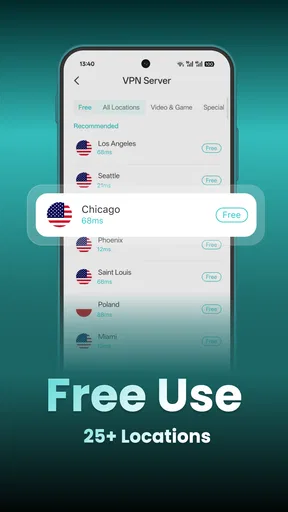
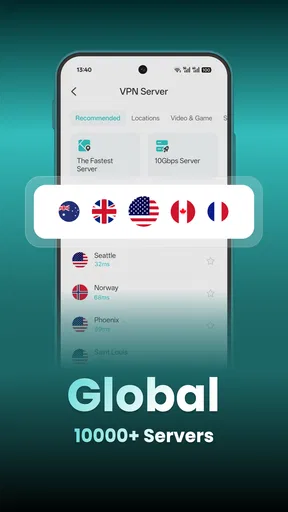
First things first, why even consider X-VPN when there are so many options out there? Well, I was drawn in by its promise of speed and security, two things that are crucial when you're relying on a VPN. The app boasts over 8,000 servers in more than 50 locations worldwide, which means you’re pretty much covered no matter where you are.
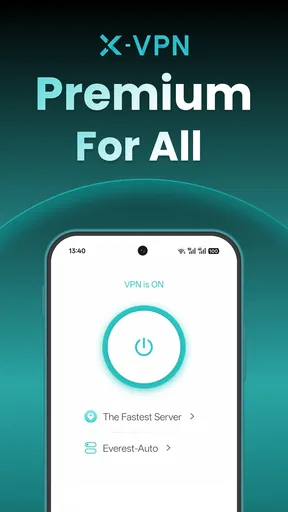
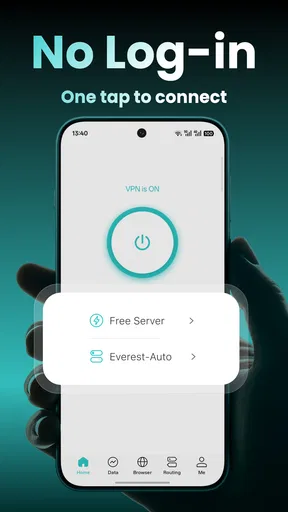
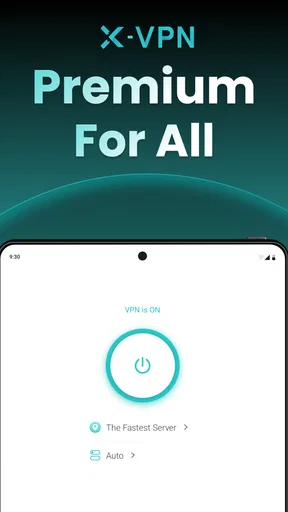
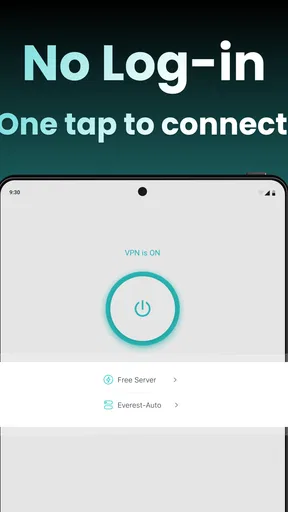
What really caught my eye was its user-friendly interface. I’m no tech wizard, but the app makes it super simple to connect to a server with just one tap. It’s perfect for those who want hassle-free protection without diving into complex settings.
Speed and Performance
Let’s talk speed. I’ve tested quite a few VPNs, and slow connections are a dealbreaker for me. With X-VPN, I was pleasantly surprised. Streaming videos, browsing, and even online gaming ran smoothly. No annoying buffering or lagging, which is a huge plus in my book.
Now, there were a couple of times when the speed dipped, but it was nothing a quick server switch couldn’t fix. The app offers a handy option to auto-select the fastest server available, which saved me from any frustration.
Security Features
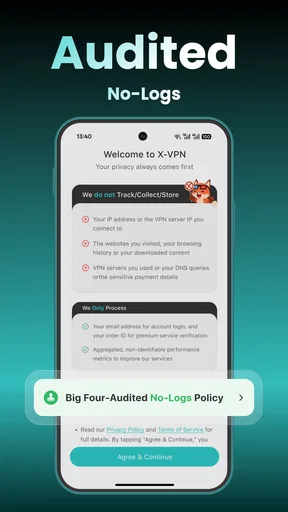
When it comes to security, X-VPN doesn’t skimp. The app uses military-grade encryption, which means your data is locked up tight. Plus, it has a no-log policy, so you don’t have to worry about your browsing history being stored somewhere.
One of my favorite features is the kill switch. If the VPN connection drops for any reason, this feature automatically cuts off your internet to protect your data. It’s like having a security guard for your online presence.
Compatibility and Usability
The app is available on both Android and iOS, which is great if you switch between devices like I do. It also supports multiple devices under one account, so you can protect your phone, tablet, and laptop without any extra cost.
Installation was a breeze. It took me just a couple of minutes to download and set up. The app’s layout is intuitive, with clear labels and easy navigation. So even if you’re not tech-savvy, you’ll find it user-friendly.
Extra Perks
Aside from the basics, X-VPN offers some cool extras. There’s the ability to bypass geo-restrictions, which is perfect for accessing content that might be blocked in your region. I was able to watch shows from different countries without a hitch.
Another neat feature is the split tunneling option. It lets you choose which apps use the VPN and which don’t. This is handy if you want to conserve bandwidth or keep certain activities off the VPN.
Pricing and Plans
Now, onto the nitty-gritty: pricing. X-VPN offers a free version, but there are some limitations, like fewer servers and possible ads. The premium version, on the other hand, unlocks all features and servers with no ads and unlimited bandwidth. Prices are pretty standard for VPNs, and they offer monthly or yearly plans. I found the yearly plan to be the best bang for your buck.
They also offer a free trial, so you can take it for a spin before committing. I appreciated this, as it gave me a chance to test out all the features risk-free.
Final Thoughts
Overall, X-VPN: Fast VPN & Secure Proxy is a solid choice for anyone looking to enhance their online security with minimal fuss. It’s fast, secure, and easy to use, with a range of features that cater to both beginners and seasoned users.
Whether you’re streaming, gaming, or just browsing, this app has got you covered. So, if you’re in the market for a new VPN, give X-VPN a shot. It might just become your go-to app for all things privacy.
Pros
- Easy to use with one-click connection.
- No registration required for use.
- Supports multiple devices simultaneously.
- Wide range of global servers available.
- Strong encryption ensures privacy.
Cons
- Limited features in the free version.
- Occasional connection drops.
- Ads present in the free version.
- Some servers may have slower speeds.
- No option for manual server selection.
FAQs for X-VPN: Fast VPN & Secure Proxy
Is X-VPN free to use?
Yes, X-VPN offers a free version with limited features and server options. While it provides basic protection and access to some servers, users can upgrade to a premium subscription for additional features, such as faster speeds, more server locations, and enhanced security protocols.
How secure is X-VPN for online privacy?
X-VPN employs high-level encryption to protect users’ data and online activities. It uses multiple protocols to ensure a secure connection. However, like all VPNs, it’s essential to review their privacy policy to understand how user data is handled and ensure it meets your security needs.
Can X-VPN bypass geo-restrictions on streaming sites?
X-VPN is designed to bypass geographical restrictions, allowing access to content from different regions. While it generally works well with many streaming services, success can vary depending on the service and server location, as some sites actively block VPNs.
What platforms is X-VPN compatible with?
X-VPN is available for multiple platforms, including Android, iOS, Windows, macOS, and Linux. It also offers browser extensions for Chrome and Firefox, providing flexibility and convenience for users who wish to protect their online activities on various devices.
Does X-VPN affect internet speed?
Using X-VPN can potentially impact your internet speed, as data is routed through an additional server. However, the premium version offers faster connection speeds and more server options, which can mitigate speed reductions and provide a smoother browsing experience.


